Maple Proxy lets the AI tools you already use run on Maple's private models.
Your tool keeps working the way it does today, but its requests stop going to OpenAI or another provider. They go to open models that Maple runs inside secure enclaves.
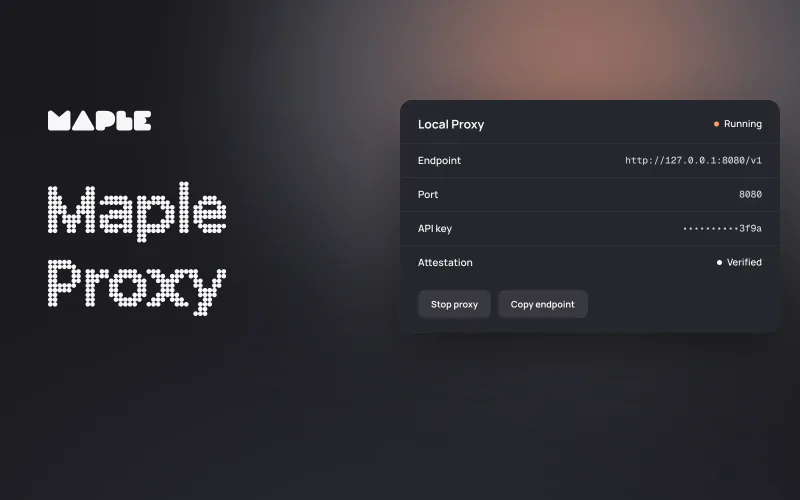
The proxy is a small program that runs on your own computer, or next to your own service, and gives tools that use OpenAI's Chat Completions API a local endpoint. Before a request leaves your machine, the proxy checks that it's talking to Maple's secure enclave and encrypts what you send.
Setup is short. Point your tool at http://127.0.0.1:8080/v1, give it a Maple API key and pick a model.
The proxy covers chat completions, embeddings and the model list, not all of OpenAI's API. Check the API reference against what your tool uses, and make sure your model supports what the tool needs, like tool calls or images.
Why we built Maple Proxy
How many apps do you use each day that have AI built in? Calorie trackers, CRMs, study companions, relationship apps, coding assistants. Most of them use ChatGPT, Claude, Gemini or Grok on the backend, meaning they share your data with that provider. All of it.
It doesn't need to be this way.
Many of these tools send their requests in OpenAI's API format, and plenty of them let you change the address those requests go to.
We wanted those tools to work with Maple. Talking to Maple privately takes two extra steps, though. First, your software checks that the server is the secure enclave it claims to be. Then it encrypts what you send.1 Most tools don't know how to do either.
Maple Proxy does both, and gives your tools the endpoint they already expect. It's great for:
- People who run AI tools on their own computer that call out to OpenAI
- Developers who ship apps that call out to OpenAI
The proxy is open source, so you can read the code that runs on your machine.
The check is called attestation. The enclave's hardware signs a document that identifies the exact code running inside, and anyone can build our open-source code and compare the result.
It works a little like the lock icon in your browser when you log in to your bank. The difference is that attestation tells you what code is running on the other side, not just whose server it is.
Where the encryption starts
Encryption starts at the proxy.1 The hop from your tool to the proxy is ordinary local traffic, and our setup docs are plain about it: it's plaintext.
That's why the proxy belongs on a machine you control, listening on 127.0.0.1. If that traffic has to leave the machine, protect it with TLS and a trusted network boundary.
From the proxy, your prompt and your API key travel sealed to Maple's enclave. They're decrypted only inside hardware-isolated infrastructure for AI inference. We can't read them, and we don't train on them. The proxy then decrypts the answer and hands it back to your tool.

Each request is billed to the account that owns its API key.2
What you can do with it
Here are four examples. The first three are sketches of what you could build, not customer stories. The fourth is the setup in the video. The step is the same each time: change the endpoint.
An everyday app: a private meal planner
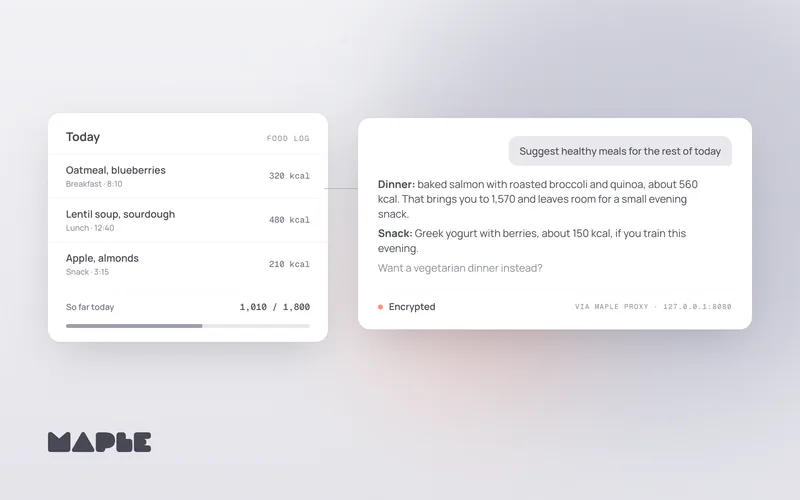
Say you build a meal-planning app. People log what they eat, and a button asks a model to suggest healthy meals for the rest of the day.
Run Maple Proxy next to your service and keep the OpenAI client library you already use. The food log then travels encrypted from the proxy to Maple's enclave.
Your app still handles that log before it reaches the proxy, so the rest of your stack needs the same care. When you process your users' data through our API, our privacy notice treats Maple as a processor working on your behalf.
A team's internal docs search
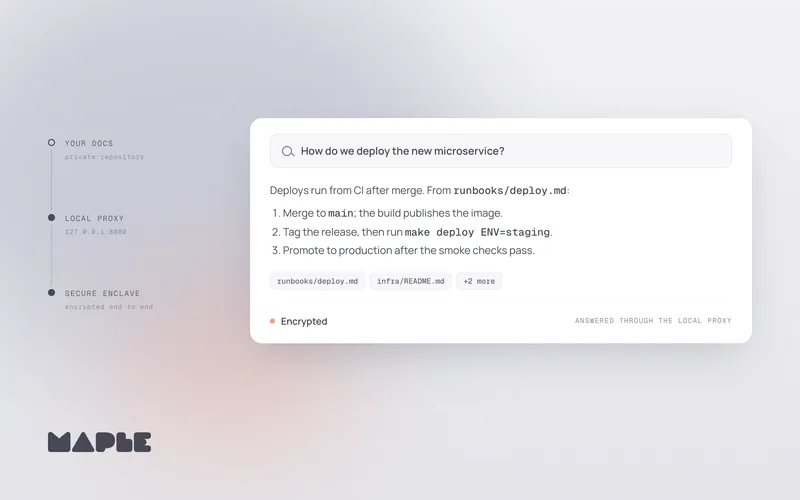
Your team's runbooks live in a private repository, and you want to ask them questions in plain language. That takes two kinds of model call: embeddings to find the right passages, and a chat model to write the answer.
The proxy forwards both, with nomic-embed-text on /v1/embeddings and your chosen model on /v1/chat/completions. Where you keep the search index is up to you; the proxy covers the calls to Maple.
A developer's coding assistant
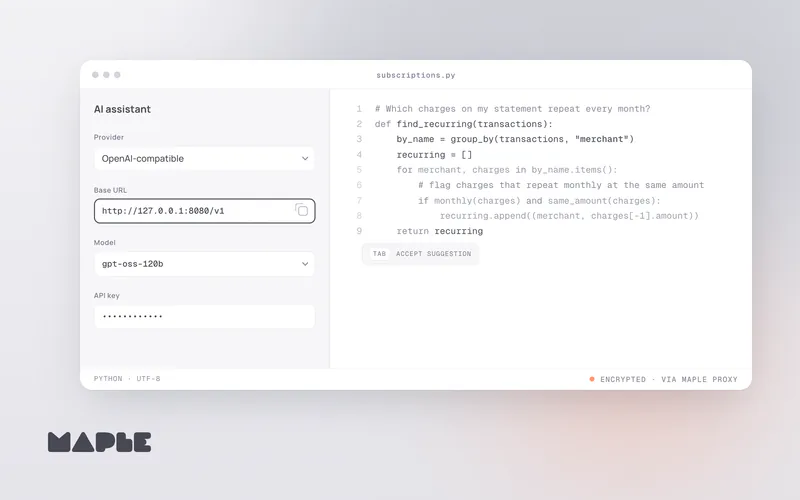
Many editors and coding agents let you add an OpenAI-compatible provider. Give it the proxy's base URL, a Maple API key and a model ID, and the assistant runs on Maple.
For coding agents, pick a model with tool support; our OpenCode guide walks through one setup. Whether you're building production code or vibe coding your next idea, your code goes to Maple encrypted.
Your own AI agent
The video at the top shows Goose, an open-source AI agent created by Block and now part of the Agentic AI Foundation, connected through the proxy. Goose reads a bank statement saved on the computer and lists subscriptions you might cancel.
Each request Goose sends to Maple goes through the proxy, encrypted. Our Goose guide covers Goose Desktop and the CLI.
Agents like Goose can read files and run commands on your computer.3 The proxy keeps the conversation with Maple private; it doesn't limit what the agent does locally. It's worth staying the human in the loop and approving what an agent does.
Set it up
The Maple Proxy docs have the full guide. Here's the short version in the desktop app:
-
Open Local Proxy
In the Maple desktop app, open Settings, then API & credits, then the Local Proxy tab.
-
Start the proxy
Select Start proxy. Keep Maple open while your tools use it.
-
Copy the base URL
The default is
http://127.0.0.1:8080/v1. You can choose a different port in the same tab. -
Point your tool at it
Choose an OpenAI-compatible provider, paste the base URL, add a Maple API key if the tool asks for one, and enter a model ID.
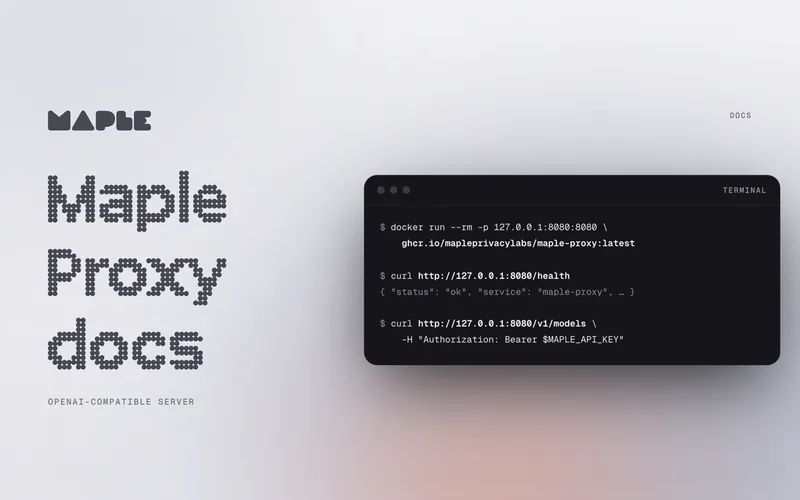
For keys, see API keys; for model IDs and what each model supports, see models. To run the proxy on a server or without the desktop app, use Docker or a release binary.
Works with
If a tool lets you add a custom OpenAI-compatible provider with its own base URL, and it runs on your machine, it can talk to Maple Proxy. We've written guides for two:
- Goose: connect Goose as a custom provider.
- OpenCode: connect OpenCode as a custom provider.
These tools document the same kind of setting, so the steps are similar: add the provider, paste the base URL, add your key and enter a model ID.
- Chat apps: Jan, Open WebUI
- Coding assistants: Cline, Continue, Aider, Zed, Kilo Code
- Libraries: LangChain, LlamaIndex and similar libraries, by setting the proxy as the base URL of their custom OpenAI-compatible provider.4
Coding agents call tools, so pick a model with tool support. A tool that sends your requests through its own cloud first, or that only speaks OpenAI's Responses API, can't use a local proxy.
Models and rates
The table reads from the same data as our pricing page.
| Model | Typical use | Input | Output |
|---|---|---|---|
GLM-5.3 Flashglm-5-3-flash | Fast reasoning and image analysis | $0.80 | $2.50 |
GLM 5.3glm-5-3 | Complex reasoning and coding | $3.60 | $11.50 |
Kimi K3kimi-k3 | Reasoning, coding and image analysis | $8.00 | $25.00 |
DeepSeek V4.1 Flashdeepseek-v4-1-flash | Long-context research and analysis | $1.30 | $2.90 |
OpenAI GPT-OSS 120Bgpt-oss-120b | Everyday chat and reasoning | $0.30 | $1.20 |
Gemma 4 31Bgemma4-31b | Reasoning and image analysis | $0.80 | $2.00 |
Llama 3.3 70Bllama3-3-70b | General-purpose chat | $3.50 | $5.50 |
OpenAI GPT-OSS Safeguard 120Bgpt-oss-safeguard-120b | API safety classification | $0.30 | $1.20 |
USD equivalent per 1 million tokens. API usage consumes credits based on the chosen model’s input and output tokens. API rates are separate from monthly plan prices. Automatic model aliases are billed at the rate of the model selected for the request.
Models differ in context window and in whether they accept images or tool calls, and your running proxy lists what it serves at /v1/models.5
Try it
Pick one tool you already use and point it at the proxy this weekend. If something doesn't work the way you expect, troubleshooting covers the common errors, and you can find us on Discord.
Let's start securing all the apps together.