Two choices shape most answers you get in Maple: which model you pick, and how much thinking you ask it to do. They're separate decisions. Models differ in what they know and how they sound. The thinking level sets how much the model works through the problem before it replies, and on paid plans that work counts toward your credits.
Most everyday work doesn't need the strongest setting. Start with a sensible model for the task at a low level, raise thinking when an answer has to hold up across many steps, and switch models when the tone or knowledge is off. The model library has details on each model.
| Task | Start with | Thinking level | Try next |
|---|---|---|---|
| Everyday questions | DeepSeek V4.1 Flash | Low | High if the question has steps or numbers |
| Personal reflection | GLM 5.3 | Low | Kimi K3.1 Pro at Low if you prefer its voice |
| Writing | GLM 5.3 | Low, then High for long pieces | Kimi K3.1 Pro for a second voice |
| Documents and long PDFs | DeepSeek V4.1 Flash | High | GLM 5.3 at High when it takes judgment |
| Coding | DeepSeek V4.1 Flash | High | Higher thinking if a fix fails, then GLM 5.3 |
| Hard multi-step problems | DeepSeek V4.1 Flash | High | Max, then Kimi K3.1 Pro at High |
| Images | Any model, on a paid plan | Default, where offered | Another model when the reasoning about the image is hard |
Plans differ, so not every model here may be open to you. The model picker shows what your plan includes, and pricing compares the plans.
These are our suggestions, not rankings, informed by what model makers report, what independent leaderboards show, and each model's rates and window in Maple. None of it is a Maple performance test, so we'd encourage you to try a few models over time and see what works for your own work.
Which Maple model should you start with for each task?
Start with the task, then pick the lowest-cost model and lowest thinking level whose answers you'd accept. If you'd rather not choose, the picker's Quick and Powerful options choose a model for each request. The sections below explain how to think about each task and give you prompts to copy.
Everyday questions and personal reflection
For quick questions, plans and explanations, a lower-cost model at Low is a sensible start, and you can raise the level if an answer needs it. DeepSeek's guidance for its V4 models recommends low for simple tasks.1
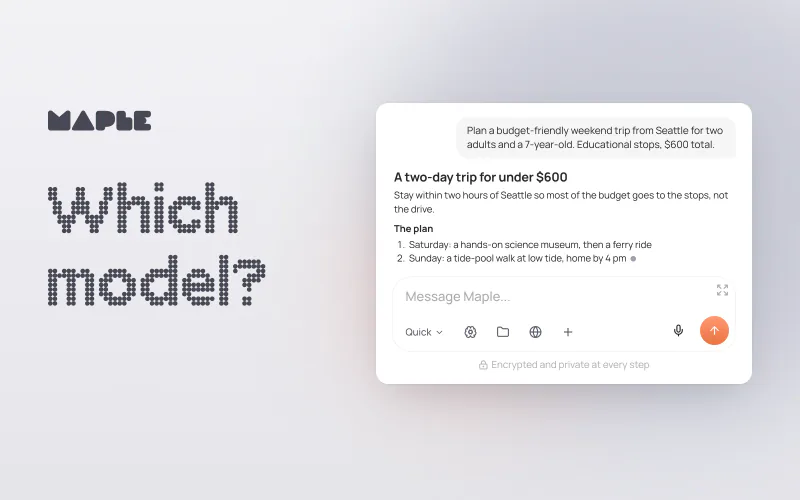
Help me plan a budget-friendly weekend trip from Seattle for our family: two adults and a 7-year-old. We'd like educational stops, $600 total, and no more than two hours' drive each way.
Settle a debate: explain quantum entanglement using baking analogies.
Personal reflection is different. The benchmarks we cite don't show which model will help you think through something personal. Judge a model by how useful its questions are to you, and if you prefer another model's voice, use it. The sources we cite don't show that more thinking improves tone.
I'm weighing [decision]. Ask me three questions, one at a time, before you share any view.
Writing
For drafts, edits and emails, start at Low and try High for long pieces that lose structure. Style is personal, so writing is a good place to try two models on the same prompt. Independent boards such as EQ-Bench's Creative Writing test are one way to choose which models to try, not a verdict on your taste.2
Help me write a thoughtful apology to my sister. Here's what happened: [explain]. I want it to sound warm and sincere, in my own voice, under 150 words, without over-apologizing.
Documents and long PDFs
For long documents, look for a large context window, which is how many tokens a model can work with at once, including history and its reply, and a low input rate, since the text you send from the document counts as input. Each model's guide lists its window. We didn't find a long-document benchmark covering every model here, so this is a choice on window size and rates, not on measured quality.
Document upload works in Maple's mobile and desktop apps on paid plans. The app pulls the text out on your device and sends it as text, so every model can read it. When the answer needs judgment across the whole document, try a stronger model at High.
List every date, payment amount and termination condition in this contract, with the section number for each. Write "not stated" where the contract is silent. [upload contract]
Coding
For code, start at High, since a fix either passes its test or it doesn't. That makes coding a good place to see whether more thinking helps. If a fix fails its test, raise the thinking level. If it still fails, switch to another model.
Vals.ai's index mixes coding with finance, legal and tax tasks, so treat it as one input to which models to try, not an overall coding winner.3 For one-line syntax questions, try a lower-cost model at Low first.
This function fails the test below. Explain the cause, give the smallest fix, and add a test that would have caught it. [paste code and test]
Hard multi-step problems
For math, logic puzzles and plans with many constraints, start at High and move to Max if the answer fails a check. These are the kinds of tasks where the makers' tests below show large gains from more thinking. If it still struggles, try another model at High before going to Max there too.
Six people share a seven-day on-call rotation with these rules: [rules]. Find a schedule that meets every rule, or show which rule makes it impossible.
Images
On a paid plan, you can attach an image with any Chat model selected. A vision model describes it first, and the model you picked works from that description. So the model you choose changes the reasoning about the image more than the seeing.
Extract all text from this invoice. Identify the vendor, PO number, total due and delivery date. Flag any discrepancies. [upload photo]
What does thinking mean, and how is it different from choosing a model?
Thinking is extra reasoning a model writes before its final answer. It can include working through steps and checking a proposed answer. The thinking level sets how much of it the model does. Choosing a model is a different decision: models differ in knowledge, reasoning and style, while a higher level gives the same model more room on the current question.
Think of it like a race car and a commute. You don't need a race car to drive to work, and you don't need Max thinking to plan a weekend. Pick the model for the kind of task, and the level for how hard this particular step is.
In Maple Chat, the thinking button sits next to the model picker. Each model with a thinking step offers its own choices, plus Default, which means the setting below.
| Model | Thinking choices in Chat | Default | Earlier thinking re-sent on later turns |
|---|---|---|---|
| Kimi K3.1 Pro | Low, High, Max | Max | Yes, all of it |
| GLM 5.3 | Low, High, Max | Max | No, current turn only |
| GLM-5.3 Flash | Low, High, Max | Max | No, current turn only |
| DeepSeek V4.1 Flash | Off, Low, High, Extra high, Max | High | Only with tools on, such as web search |
| GPT-OSS 120B | Low, Medium, High | Medium | No, current turn only |
| Gemma 4 31B | Default or Off | Thinking on | No, current turn only |
| Llama 3.3 70B | No thinking step | None | Not applicable |
"Current turn only" means the model keeps its thinking while it works on one reply, then drops it before your next message.
Each model has its own guide with specs and access details: Kimi K3.1 Pro, GLM 5.3, GLM-5.3 Flash, DeepSeek V4.1 Flash, GPT-OSS 120B, Gemma 4 31B and Llama 3.3 70B.
For models with levels, Default follows the level the maker sets as its own default. Gemma 4 has only an on or off switch, and in Maple Chat its Default turns thinking on. Kimi K3.1 Pro defaults to Max, and Z.ai says to keep max to reproduce GLM 5.3's benchmarks.11, 4
DeepSeek's API defaults to high.5 OpenAI makes medium GPT-OSS's default.6
Max is a sensible place to start for hard work. It's also why an everyday question can use more thinking than it needs on a model whose Default is Max. DeepSeek's guidance for its V4 models puts it plainly:1
use low for simple tasks, high for daily Agent tasks, and max for more complex scenarios.
Two details are easy to miss. Your choice is saved in your browser and carries over to new chats and to any other model that offers the same level, so a Max you picked for one hard problem stays on. And when the choice is Default, the button shows only an icon; for models with levels, the menu shows which one Default means.
Maple Work, our desktop app for tasks in a project folder, handles this differently. Each task keeps its own level, and new tasks start from the last level you chose, or Medium if you never chose one, adjusted to what the model offers.
Does more thinking give better answers?
In the makers' own tests, more thinking helps most on problems with many steps and an answer you can check, and much less on general knowledge. OpenAI tested GPT-OSS 120B at all three of its levels, which makes the trade-off easy to see.7
| Test (OpenAI's GPT-OSS 120B model card) | Low | Medium | High |
|---|---|---|---|
| AIME 2025 (competition math, no tools) | 50.4 | 80.0 | 92.5 |
| SWE-bench Verified (fixing real code) | 47.9 | 52.6 | 62.4 |
| MMLU (general knowledge) | 85.9 | 88.0 | 90.0 |
| HealthBench Consensus (health answers) | 90.6 | 90.8 | 89.9 |
Math rises 42.1 points from Low to High, MMLU rises 4.1, and HealthBench Consensus barely moves. More thinking can't guarantee a fact the model doesn't have, so check sources when accuracy matters.
DeepSeek reports the same shape for V4.1 Flash.8 Raising effort from its lowest test setting to its highest lifted the average across eight reasoning tests from 67.1% to 76.3%, at roughly 2.5 times the output tokens. The report's summary of where the gains stop:
the 60–80 range already recovers most of the accuracy of the maximum setting at less than half of its token budget
Z.ai reports a similar step for GLM 5.3 on its own coding test: 31.4% at around 50,000 output tokens per task on High, and 34.5% at roughly 75,000 on Max.9
So the published data points one way: higher levels can use far more tokens, and how much they help depends on the model and the task. Higher isn't always higher-scoring, either: HealthBench Consensus dips at High in the table above. A study of smaller reasoning models found that forcing ever-longer thinking first helped accuracy and then hurt it.10
That's why we'd start low and work up. Raise the level when an answer fails a check you can see, such as a test, a sum or a rule it broke.
When should you go cheaper, think harder or switch models?
Change one thing at a time, so it's easier to see what helped. These are practical suggestions informed by the evidence above.
| What you notice | Try first | If that doesn't fix it |
|---|---|---|
| Answers are fine but slow, or use a lot | Lower the thinking level one step | A lower-cost model, using the rates below |
| Wrong on math, logic or a multi-step plan | Raise thinking one step | A stronger model at High |
| Code still fails after a fix | Raise the thinking level | Another model on the same test |
| Writing feels flat, generic or off in tone | Switch models | Give an example of the tone you want |
| Misses details in a long document | Ask about one section at a time | A model with a larger window |
| A long chat is getting expensive | Start a new chat with a short summary | Start it at a lower level, or move to a lower-cost model and stay there |
More thinking can't guarantee the tone you want or a fact the model lacks; give an example or the source instead. Clarifying a vague question may help more than switching models. When an answer is wrong, rerunning it at a higher level is a quick way to see whether more thinking helps.
Why does a long chat use so much?
A long chat adds up for four reasons that stack. Here they are in order.
The earlier conversation normally goes back to the model each turn. A model has no memory between messages, so each new message is normally sent with the earlier messages and answers as input. Turn 30 can carry 29 turns of history. When a chat gets very long, Chat may summarize older history, and it marks the spot when it does.
Answers and thinking bill as output. Thinking tokens are separate from the final answer, but they're billed at the model's output rate, which is usually higher than its input rate. A higher thinking level usually means more of them, though it varies by request.
Rates differ a lot by model. Here are the current rates, in US dollars per million tokens. See pricing for plans and extra credits.
| Model | Input | Cached input | Output |
|---|---|---|---|
GLM-5.3 Flashglm-5-3-flash | $0.34 | $0.08 | $1.09 |
GLM 5.3glm-5-3 | $2.61 | $0.25 | $9.66 |
Kimi K3.1 Prokimi-k3-1-pro | $6.00 | $0.60 | $25.00 |
DeepSeek V4.1 Flashdeepseek-v4-1-flash | $0.65 | $0.13 | $1.45 |
DeepSeek V4.1 Flash Uncensoreddeepseek-v4-1-flash-1017-uncensored | $0.65 | $0.13 | $1.45 |
OpenAI GPT-OSS 120Bgpt-oss-120b | $0.23 | — | $0.90 |
Gemma 4 31Bgemma4-31b | $0.60 | — | $1.50 |
Llama 3.3 70Bllama3-3-70b | $2.63 | — | $4.13 |
OpenAI GPT-OSS Safeguard 120Bgpt-oss-safeguard-120b | $0.23 | — | $0.90 |
USD equivalent per 1 million tokens. API usage is charged by the chosen model’s input and output tokens. It draws from your plan’s included usage first, then from credits you add. Cached-input rates apply only to tokens reported as cached. — means the standard input price applies. Automatic model aliases are billed at the rate of the model selected for the request.
Some models re-send their earlier thinking. The thinking table above shows which. Kimi K3.1 Pro requires apps to pass its earlier reasoning back on every turn, and Maple does so.11 So in a long Kimi chat, each answer's thinking is billed once as output and, while it stays in the chat's history, again as input on later turns.
Caching softens this, but only partly. When the provider reports part of the re-sent history as cached, those tokens bill at the lower cached-input rate on models that have one. Not every token is cached, and some models have no cached rate, so don't count on earlier turns being free.
Here's the sum. Rates are in US dollars per million tokens, and 1,000 credits is $1 of usage. On Free, the limit counts messages per day instead of credits.
Credits = (uncached input tokens × input rate + cached tokens × cached rate + output tokens × output rate) ÷ 1,000
Output tokens include thinking. On a model with no cached rate, use the input rate for those tokens.
Now an illustration, not a measurement. The rates and token counts below are made up to show the shape of the math, and they aren't any Maple model's.
Picture a model at $1 input, $0.25 cached and $10 output, in a chat of 30 answers. Each answer shows 500 tokens, plus 500 tokens of thinking at the lower level or 3,500 at the higher one. We've left out your own messages and instructions.
| Setup | Output credits | Re-sent history credits | Total credits |
|---|---|---|---|
| Lower level, earlier thinking dropped | 300 | About 218 | About 520 |
| Higher level, earlier thinking dropped | 1,200 | About 218 | About 1,420 |
| Higher level, earlier thinking re-sent, nothing cached | 1,200 | 1,740 | 2,940 |
| Higher level, earlier thinking re-sent, all but the newest answer cached | 1,200 | About 520 | About 1,720 |
Across 30 answers, the history adds up to 435 answers' worth of input: nothing on the first turn, 29 on the last. Same chat, same answers, and the total moves almost sixfold. For your own estimate, swap in real rates from the table above and real token counts from your usage.
What helps most in a long chat:
- Start a new chat when the topic changes, and paste a short summary of what matters.
- Choose the thinking level when you start a chat. Most models read the level at the very start of what's sent, so changing it mid-chat can make the next message pay full price for the whole history. For one hard question, a new chat at a higher level can cost less.
- Move follow-ups to a lower-cost model and stay there. The first message after a switch can pay full price for the history, so the savings come from the turns after it.
To see where your usage goes, open Settings → Usage. On paid plans it shows a meter of your plan's credits, a daily chart, a table by model and your recent requests, each with its model, input, cached and output tokens, and credits. On Free it shows the messages you've used that day. It covers your whole account, including background requests Maple makes for you, and it doesn't group usage by chat.
How do you compare models on your own tasks?
Your own tasks are the most direct test of whether a model fits your work. Experiment, and validate with your own data and process.
-
Pick three to five real tasks
Use things you ask often, and write each prompt once so every model gets the same words.
-
Run each prompt in a new chat
A fresh chat keeps earlier history from riding along. Use the same named thinking level on two or three models, knowing the same name doesn't mean the same amount of thinking on each.
-
Judge the answers blind
Copy them into a note without the model names, and pick the ones you'd use before you look.
-
Try one level lower on the winner
Keep the lowest setting whose answers you'd still accept.
-
Check your usage
Recent requests in Settings → Usage lists the tokens for each request, and the credits on paid plans, so you can compare what each test used. Background requests can appear there too.
Your results are yours: a model that wins on your contracts may not win on someone else's poems. That's the point of testing on your own tasks rather than leaning on a leaderboard.
How do you customize a model?
You can also tell a model how you want it to work, communicate and behave. This goes by a few names, such as system prompt or instructions, and Maple has two places for it.
- Default system prompt: In Settings → Preferences, this instruction is included by default when you start a conversation. Use it for what you want in most chats, such as "Use LEGO analogies for complex topics."
- Custom Instructions: Inside a project, these apply to chats in that project, in place of your default. Use them for a role or format that fits one kind of work, such as "Respond as a skeptical scientist" or "Format as a legal memo."
Clearer instructions are worth trying before you raise the thinking level. Keep them short, since they're more text for the model to read.
Sources
- DeepSeek, API change log. Guidance on low, high and max effort for its V4 models.
- EQ-Bench, Creative Writing v3. Judge-scored writing ratings.
- Vals.ai, Vals Index. A mixed index of coding, finance, legal and tax tasks.
- Z.ai, GLM-5.3 model card. Default reasoning effort and benchmark settings.
- DeepSeek, Thinking mode guide. Default effort.
- OpenAI, OpenAI Harmony response format. GPT-OSS's default reasoning level.
- OpenAI, gpt-oss-120b and gpt-oss-20b model card. Table 3, results at low, medium and high.
- DeepSeek, DeepSeek V4.1 Flash technical report. Accuracy and output length from effort 25 to 100.
- Z.ai, GLM-5.3 guide. Z.ai Code Bench results at High and Max.
- Soumya Suvra Ghosal et al., Does Thinking More Always Help? Mirage of Test-Time Scaling in Reasoning Models, NeurIPS 2025.
- Moonshot AI, Kimi K3.1 Pro model card. Always-on thinking, default max and preserved thinking.